Backflip for Animals Controls & How to Play
PC, mobile, and console inputs for backflips, steals, hatching, and plot management.
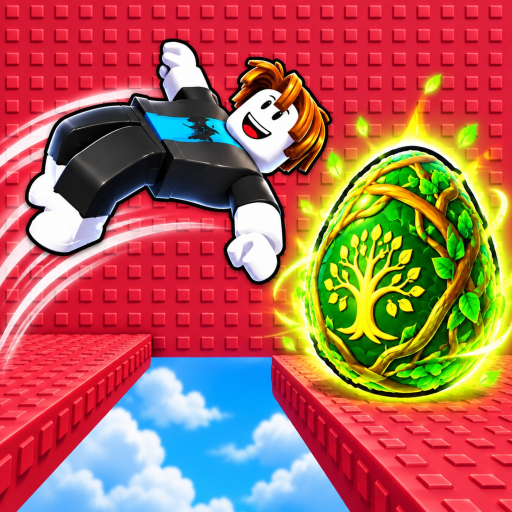
How Backflip for Animals plays
Backflip for Animals! is a free Roblox incremental simulator (released 2026-09-02). You move with backflip-style traversal into biomes, steal eggs from guardians, hatch pets, place them on your plot, collect money, train Speed on a treadmill, and unlock harder zones. Matches are small — up to 6 players — so learning clean inputs matters more than chaotic button mashing.
This hub is the controls / how to play page for every device Roblox supports. Pair it with Getting Started for the economy checklist.
Universal actions (all platforms)
| Action | What it does | Tips |
|---|---|---|
| Move | Approach biome lanes and guardians | Strafe while charging steals |
| Jump / backflip traverse | Core traversal fantasy of the game | Practice timing before hard zones |
| Interact / collect | Grab eggs, claim pads, open machines | Stand still briefly if prompts flicker |
| Open inventory / pets | Manage hatched animals | Favor income pets — Animals Tier List |
| Treadmill interact | Train Speed | AFK-friendly but upgrade the machine — Treadmill Speed |
| Sell / fuse / collect pads | Convert or improve pets and cash | Learn before auto-selling |
| Rewards UI | Daily, playtime, group, spin, index | Claim every session |
Exact on-screen button prompts can change after patches; trust the in-game prompt text first.
PC (keyboard & mouse)
Typical Roblox PC defaults apply unless you rebound them in Roblox settings:
- WASD — movement
- Space — jump / backflip traverse (confirm the on-screen prompt)
- E or Proximity prompt key — interact with eggs, treadmill, sell pad, collection machine, fuse pad, spin wheel
- Left mouse — UI confirmations, world clicks
- Esc — Roblox menu; use for settings and leave
- Number keys / hotbar (if shown) — quick tools or trail swaps
PC tips for steals
- Walk the camera behind your avatar so guardian facing angles are visible.
- Tap movement keys lightly when lining up the egg prompt — overshooting is the main PC fail.
- After a successful grab, hold a straight line toward your plot; panic weaving burns Speed advantages.
- Park on the treadmill between steal attempts instead of standing idle in a dangerous biome.
Full steal routing: How to Steal Eggs.
Mobile (touch)
- Virtual joystick — move
- Jump button — traverse / backflip action
- On-screen proximity button — appears when near eggs, pads, or machines
- Pinch / drag — camera
- Roblox hamburger menu — settings, leave, feedback
Mobile tips
- Increase joystick size in Roblox settings if your thumb blocks the interact button.
- Use a landscape grip; portrait makes biome depth harder to read.
- For treadmill sessions, lock orientation and disable aggressive battery savers that throttle touch sampling.
- When claiming stacked rewards (daily + playtime + group + spin), tap slowly so the UI does not swallow inputs.
If touch lag spikes during Auto-style play discussions, remember legitimate play never needs an executor — see safety notes on Scripts only if you were searching that topic.
Console (Gamepad)
Roblox on console maps actions to the controller:
- Left stick — move
- A / Cross (platform dependent) — jump / confirm
- X / Square or contextual button — interact prompts
- Right stick — camera
- Options / Menu — Roblox overlay
Console tips
- Invert or lower camera sensitivity if guardian turns make you dizzy during steals.
- Hold the interact button until the prompt completes — partial presses drop eggs on some proximity UIs.
- Use the touchpad or select button (as offered by your platform) to open player lists carefully in six-person servers.
- Trail swaps and shop purchases are stickier on gamepad; pause in a safe plot corner before opening big menus.
Plot & machine controls checklist
Learn these pads early so menus stop feeling random:
- Hatch area — turn stolen eggs into animals
- Placement spots — animals that generate income
- Collection machine — gather earned cash
- Sell pad — liquidate animals you do not need
- Fuse pad — combine or improve per game rules
- Treadmill — Speed training
- Trails shop / equip — mobility cosmetics with real gameplay impact (Trails Tier List)
- Animal Index — collection milestones and claims
- Spin wheel / daily / playtime / group reward — free value
Beginner order of operations is spelled out in Getting Started.
Biome travel without getting lost
The ten zones are: Savannah, Swamp, Safari, Canyon, Arctic, Mountains, Dinosaur, Deep Sea, Mythical, Legendary. On every device:
- Face the biome lane from your plot.
- Build Speed before skipping ahead two tiers.
- Memorize a single return line to your base after a steal.
- Open Biomes Map in a second tab on PC, or screenshot the order on mobile.
Accessibility & comfort
- Lower graphics if frame drops ruin jump timing.
- Enable performance mode on low-end phones before attempting Arctic+ steals.
- Take breaks during long treadmill grinds; Anti-AFK scripts are unnecessary for healthy play sessions and add ban risk.
- Mute music if audio cues help you hear UI confirms better than BGM.
Practice routine (15 minutes)
- Two minutes of camera + jump practice inside your plot.
- Three Savannah steals focusing on straight returns.
- Five minutes treadmill.
- Hatch and place; collect cash once.
- Claim rewards UI.
- One mid-zone scouting run without forcing a steal if Speed feels low.
Repeat daily until Canyon steals feel boring — that is when Tier List Hub decisions start mattering more than raw inputs.
Related pages
Master controls first; meta rankings second. Clean inputs beat an S-tier pet you cannot escort home.
Frequently Asked Questions
Quick answers to the most common questions.
What is the main action button on mobile?
The on-screen proximity / interact button that appears near eggs, the treadmill, and plot pads. Enlarge controls in Roblox settings if it is hard to reach.
Does console play support the full game?
Yes via Roblox gamepad mapping. Menus are slower than mouse, so claim rewards and shop while standing safely on your plot.
Why do I keep missing the egg prompt?
Usually camera angle or movement overshoot. Slow down on approach and wait for the full proximity prompt before confirming.
Is there a different control scheme for steals versus treadmill?
Movement keys are the same; treadmill is mostly hold-position interact. Steals need camera awareness and a planned return path.
Where should I go after learning controls?
Read Getting Started, then How to Steal Eggs, then Treadmill Speed.